Language learning · Your own material
Create with your assistant.
Practise at your pace.
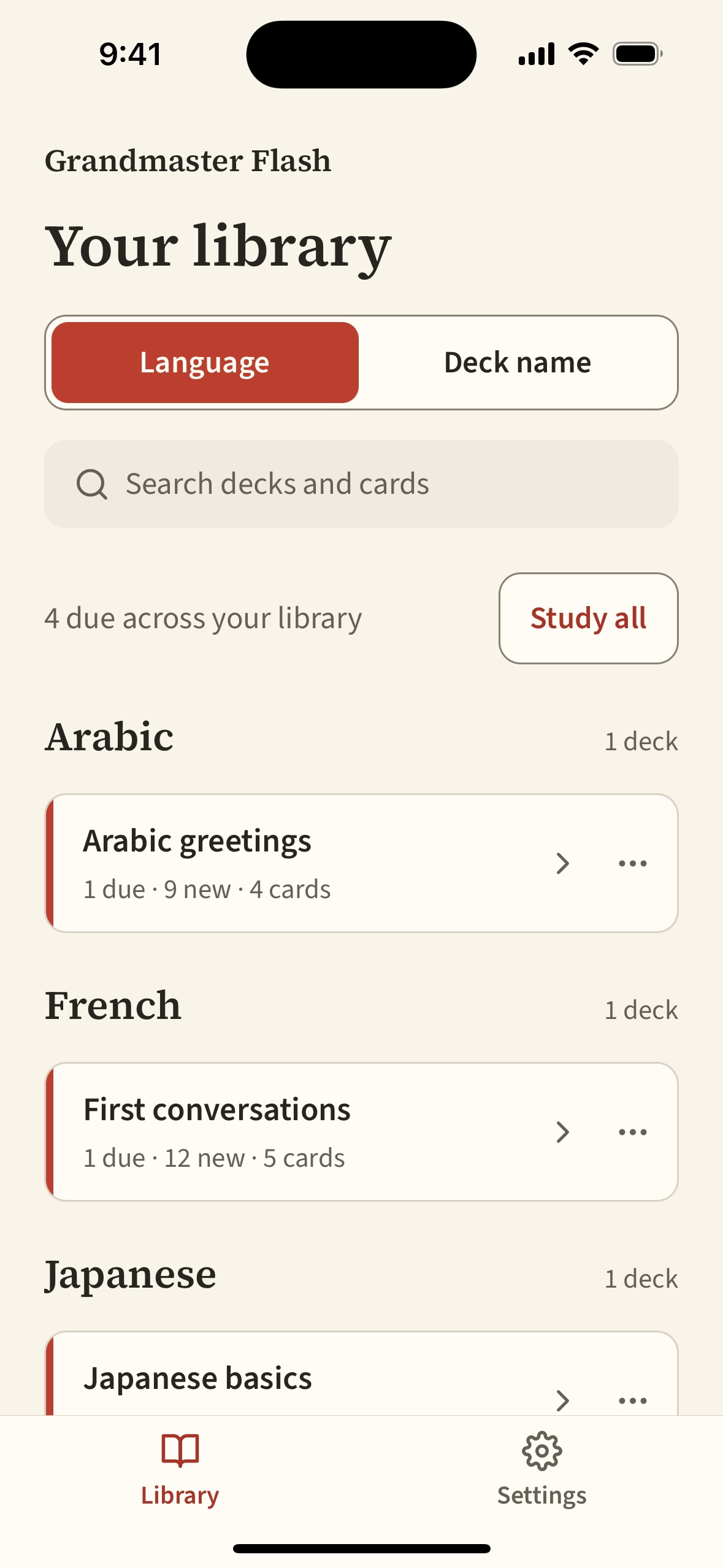
Grandmaster Flash is a spaced repetition app for the words and phrases you actually want to learn.
Ask Claude or ChatGPT to create a deck with translations, examples, and audio. Then study it on your phone or tablet, including offline.
The iOS app is in TestFlight preparation. Public downloads aren’t available yet. Contact us about access.
From an idea to a study session
Make the material yours.
-
01 · Create
Tell your assistant what you need.
A conversation you’re preparing for, phrases from a lesson, or vocabulary from something you’ve read. Your assistant builds and saves the deck.
-
02 · Review
Check the content before learning it.
Ask for useful examples, pronunciation notes, and audio. Check translations and generated content with a teacher or a reliable source.
-
03 · Practise
Open the app and study.
Sync your library, choose a deck, and work through the cards due for review. Mark what you remembered; the next review is scheduled for you.
Who it’s for
Learners building a useful vocabulary.
This is for people who want personal study material: learners working with a tutor, preparing for travel, reading in another language, or keeping up several languages.
You choose what belongs in your decks. Creation and editing happen in your assistant; the mobile app keeps the focus on practice.
- Four ways to practise
- Reading, listening, writing, and speaking have independent schedules. Writing and speaking are self-assessed.
- Audio, when you need it
- Ask your assistant to generate audio or attach supplied recordings. Download audio before studying offline.
- Offline study, synced progress
- Downloaded decks and audio work without a connection. Your reviews sync when you reconnect.
- A private, manageable library
- Flag cards to revisit with your assistant, suspend practice, archive decks, or confirm permanent deletion.
Room for your languages
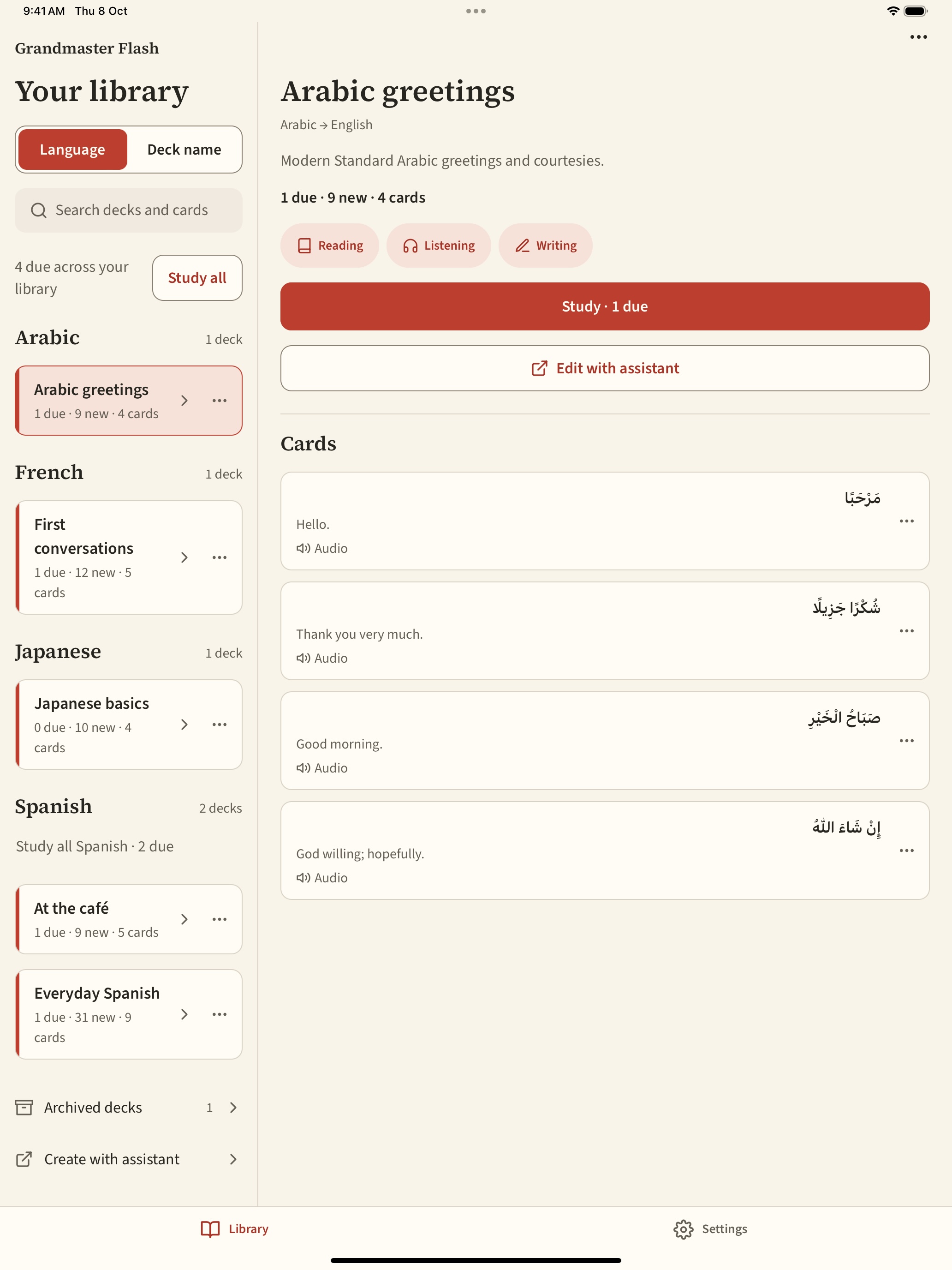
The same library, on a larger screen.
Browse your decks on a tablet, with the same account and practice history.